


Promoting an Event
It's a timeline, not a single post. Five moments to plan for every event.
Promoting an event
It's a timeline, not a single post.
Most clubs post once, after the event. Plan five moments instead.
Save the dateWeeks out. What, when, where.
Build interestSpeakers, prizes, why come. Registration reminders.
On the dayPhotos, short videos and stories, as it happens.
ResultsWhat it raised, who it helped.
Thank youVolunteers and sponsors, publicly.
Worked example: Tamworth Showcase and AGM
Two months out
The poster went out on 17 September for 21 to 22 November.
Spotlight pushed it in every edition after that.
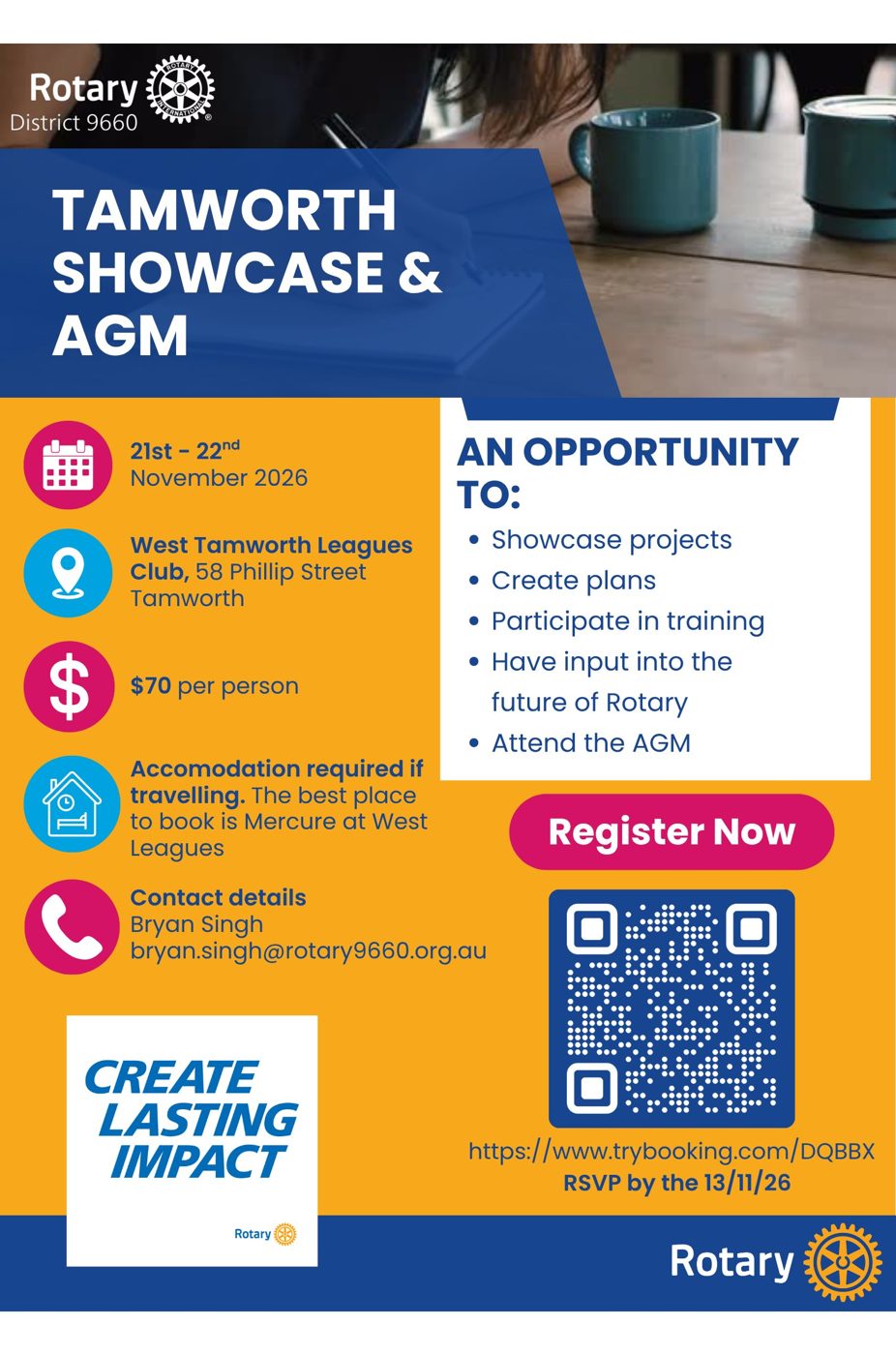
The thank-you post is the one people forget, and it is the one sponsors notice.
What goes in each moment
Before
- Who, what, why, when, where, how to book, contact and cost
- Thank sponsors before the event, not only after
- Ask other clubs to put it in their bulletins, and tell the district so we can share it
On the day
- Live posts and stories, action photos and short clips
- Behind-the-scenes moments
- Tag sponsors and partners, and ask people who came to share and tag
After
- The best photos and what was achieved: money raised, people helped, trees planted
- Thank volunteers and sponsors by name, and tag them
- Send photos and a short write-up to everyone involved, and ask them to share it: schools, partners and sponsors reach people we don't
- Send the story to Spotlight
- Cross-promote with similar events (fun runs, rides, walks, food), especially other clubs' events in the district
Posters that work
Glanceable. What, when and where in the first half-second. Dot points, big date, clear venue, one QR code.
A wall of text. If it's too wordy, nobody reads it. Less is more.
- Line things up with Canva's alignment guides, and keep headings in one case.
- Keep text at least 5 mm from the edge in case it's printed.
- Name it as your club's event: "Rotary Club of Tamworth Picnic", not "Rotary Picnic". Rotary's rules on using its name are on the district's brand page.
- Design help: Canva guides.