


Public Speaking Competition Entry
How schools lodge an entry, how it reaches the right Rotary Community Leader, and what the RCL does next.
On this page
Overview
Schools enter students in the District 9660 Public Speaking Competition through a single public form. The form collects the student, teacher, parent or guardian, and school details, generates a branded PDF of the entry, and routes it automatically to the Rotary Community Leader (RCL) for the school's area. The teacher and parent or guardian each receive a confirmation email, and the RCL receives the entry so they can pass it to a local club for the Round 1 competition.
flowchart TD
    A["School submits the entry form -
no Rotary account needed"] --> B{"School postcode recognised?"}
    B -- "Yes" --> C["Matched to its Rotary area"]
    B -- "No" --> D["The form asks for the
nearest area instead"]
    D --> C
    C --> E["Entry PDF emailed to that
area's RCL mailbox"]
    A --> F["Confirmation emails to the teacher
and the parent or guardian"]
    E --> G["RCL forwards the entry to a local club
for the Round 1 competition"]
    E --> H["Entry recorded in the Public Speaking
Entries list on SharePoint"]
Entering a student
- Go to support.rotary9660.org.au/public-speaking.
- Fill in the form:
- Student: name and year (Years 9 to 12).
- Contact teacher: name, email, and phone.
- Parent or guardian: type (parent, guardian, or carer), name, email, and phone.
- School: name, address, and postcode.
- Click Submit entry.
- A confirmation appears on screen, and confirmation emails are sent to both the teacher and the parent or guardian, with a link to the district Public Speaking page.
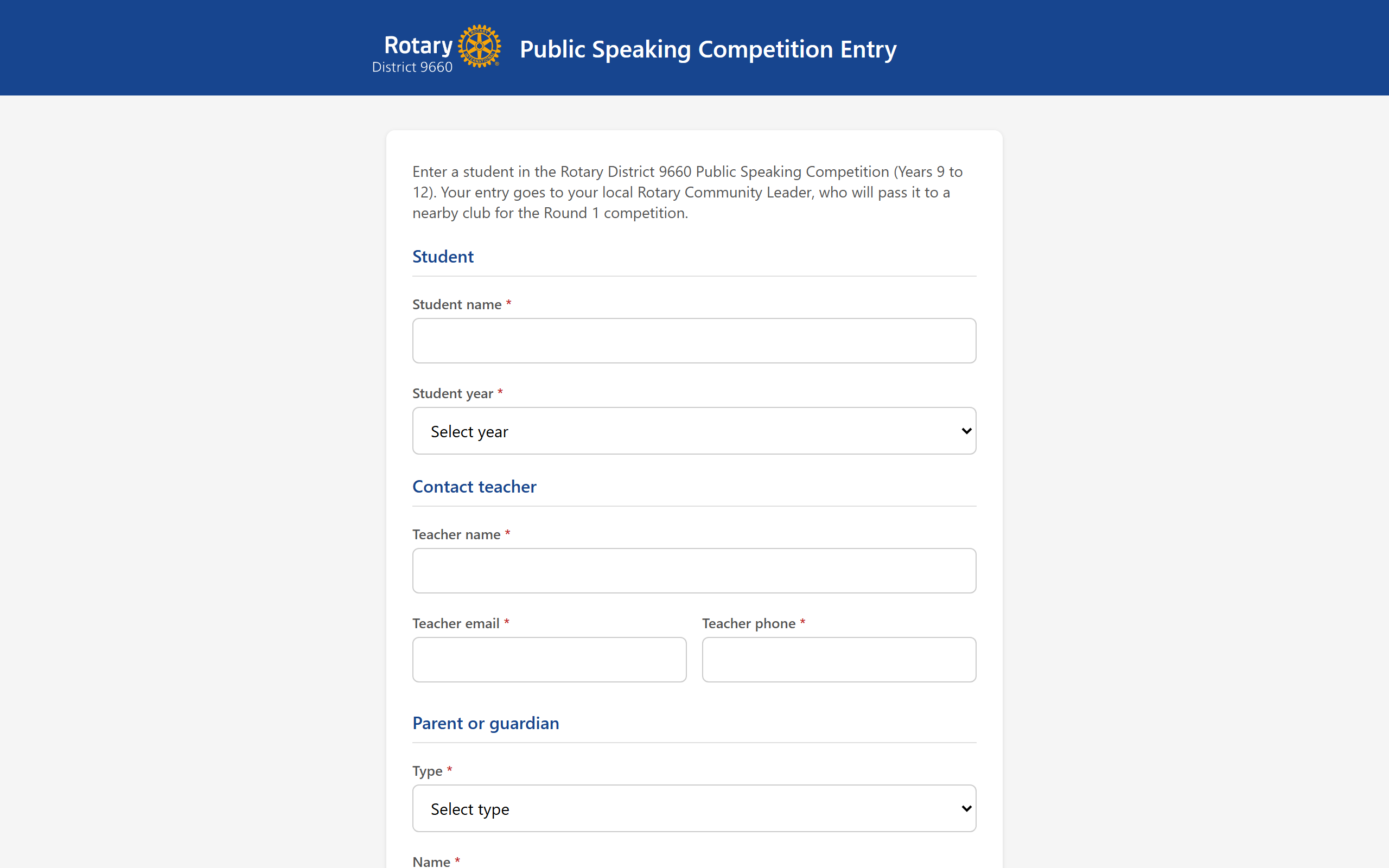
The form is public. Teachers and parents do not need a district Microsoft 365 account to lodge an entry.
How entries are routed
The school postcode determines which Rotary area the entry goes to. Each area (1 to 10) has one RCL, reachable at rcl.area{N}@rotary9660.org.au. When the form is submitted, the postcode is matched to its area and the entry is sent to that RCL.
If a postcode is not recognised, the form asks the person to choose their nearest area from a short list, so no entry is ever turned away.
Postcodes map cleanly to RCL areas, so a school does not need to know which Rotary club or area it belongs to. They just enter the school postcode.
What the RCL receives
When an entry is routed to an area, the RCL mailbox (rcl.area{N}@rotary9660.org.au) receives an email containing:
- The student, teacher, and parent or guardian details.
- A PDF of the entry, attached.
- The list of clubs in that area.
- A link to the Public Speaking Entries list, filtered to that area.
The RCL's next step: forward the entry to the relevant club or clubs in the area so the student can be included in that club's Round 1 competition.
All entries are recorded in the Public Speaking Entries list on the Youth Public Speaking SharePoint site. The link in the RCL email opens that list filtered to the RCL's own area.
Competition rounds and dates
The competition runs in three progressive rounds:
- Round 1 (by 31 August 2026): each club runs its own competition with participants from its local school or schools, and selects one winner to progress.
- Round 2 (by 24 October 2026): clubs within each Rotary Community Group compete, and one winner progresses.
- Round 3 (21 to 22 November 2026): the District Final, held at the Showcase in Tamworth.
Speeches relate to the Rotary Four-Way Test. Prizes at the District Final are 1,000 dollars (first), 500 dollars (second), and 250 dollars (third). Round 2 winners are reported to the District Chair, Simon Guest.
For questions about the competition, contact your Rotary Community Leader or email youth@rotary9660.org.au. For technical issues with the form, email support@rotary9660.org.au.